Improved procurement efficiency by 30% through workflow automation.
A procurement flow with two paths: link a request to a Sales Order or Production Order and the system auto-calculates what's needed, or raise a manual request with live stock shown inline. It replaced scattered emails and WhatsApp messages across 10+ OfBusiness assets.
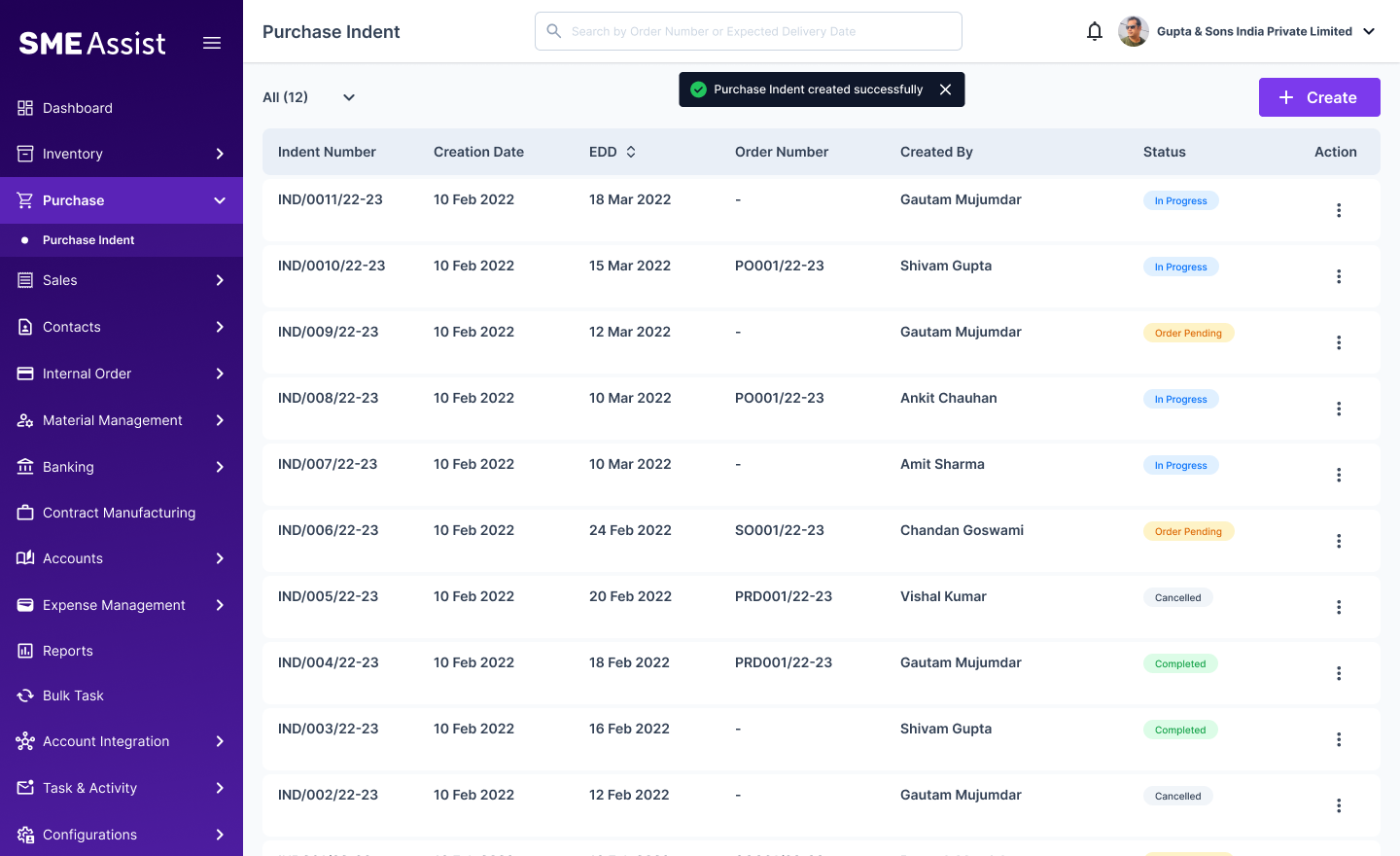
75%

User adoption in 3 weeks
30%
Operations efficiency increased
100%
Request status visibility
Overview
What is Purchase Planning?
Purchase Planning is a feature within the SME Assist ERP, built for OfBusiness to manage day-to-day operations. It gives users two ways to raise a procurement request: link it to a Sales Order or Production Order and the system calculates exactly how much to procure, or — for needs like falling stock — pick items manually with live stock shown against each one.
Problem Statement
No structured way to request against any kind of order.
There was no way to raise a request tied to its source — a Sales Order, Production Order, or falling stock. Users checked inventory separately, then emailed order details or shared them over WhatsApp by hand. Purchase managers had to collect these from multiple channels before they could even start processing.
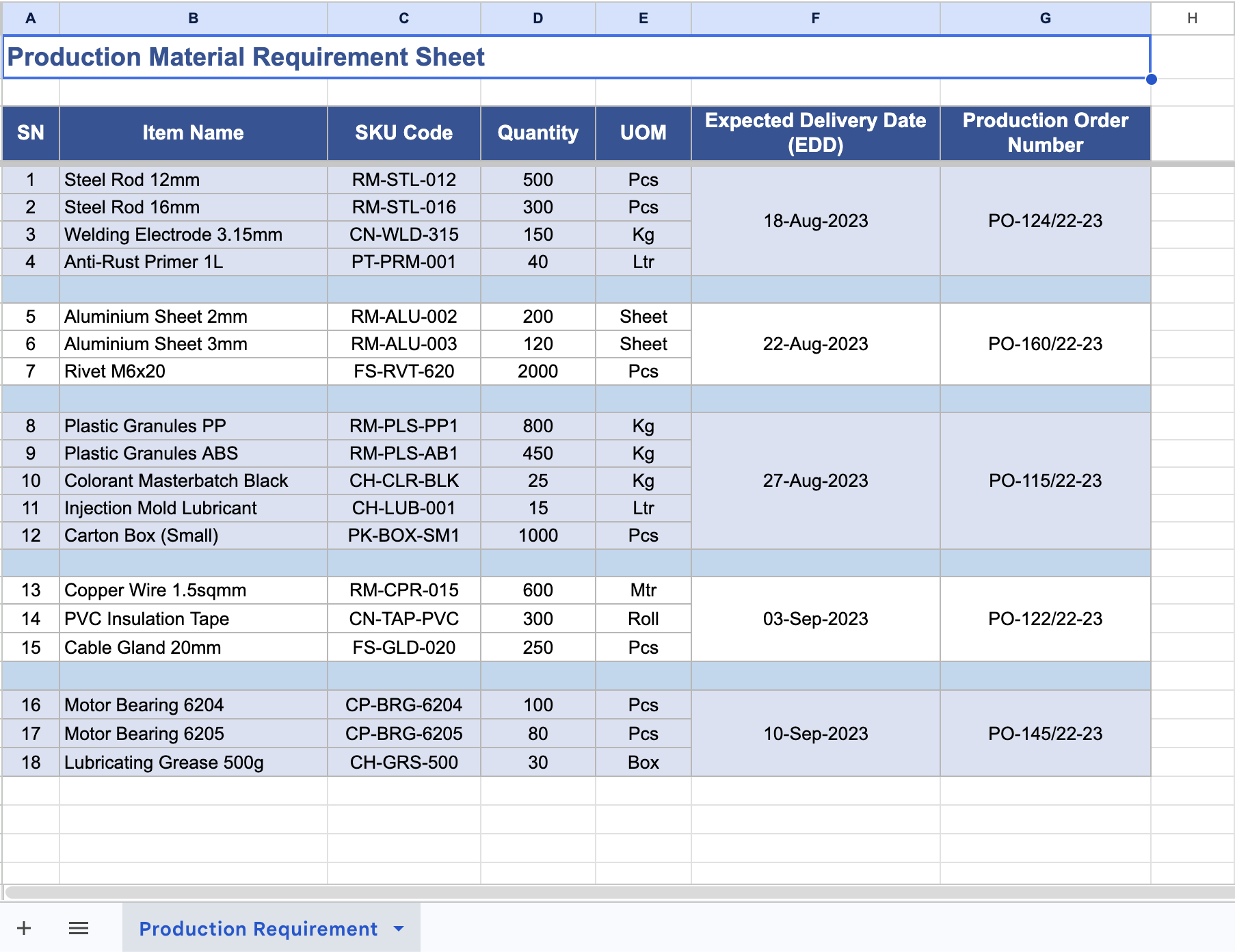
Request on Excel Sheet
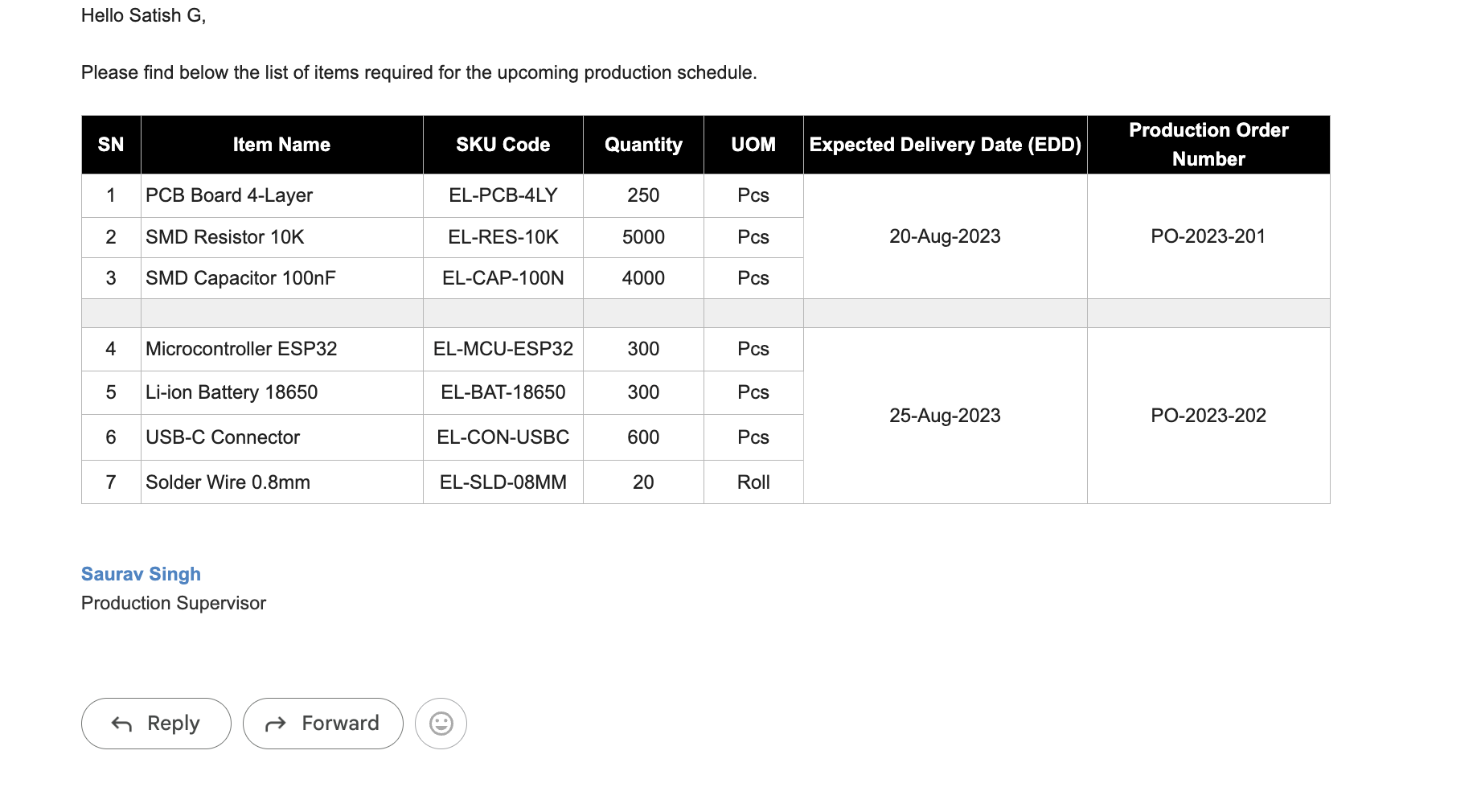
Request on Mail
- How might we simplify and automate the procurement process from request to order while reducing manual effort and operational errors?
- How might we give users end-to-end visibility of their procurement requests, from indent creation to order processing, without relying on offline tracking?
Core User
Who I designed for?
I identified three core user types — each raising requests for a different kind of trigger — and one critical user on the other side of the flow whose needs had been completely overlooked.

Requests driven by falling stock

Requests driven by Sales Orders

Requests driven by Production Orders

Research & Discovery
Identifying the real problem
To understand the existing procurement workflow, I conducted 8 stakeholder interviews across key user groups, selecting two participants from each group to capture diverse perspectives within the same operational context.
Key Insights from Stakeholder Interviews
Requests weren't linked to their source
No structured way to raise a request against a Sales Order, Production Order, or stock need — users retyped or forwarded order details by hand.
Manual inventory checks and quantity decisions were slow and inconsistent
Users checked stock separately, then worked out the required quantity themselves — a step that varied in accuracy and added time to every request.
Every request traveled through a different channel
Email, WhatsApp, and verbal handoffs meant inconsistent formats, with item details buried inside forwarded messages.
Purchase managers pieced requests together from scattered tools
Managers had to manually collect and cross-check requests from multiple channels before they could even start processing.
User Journey
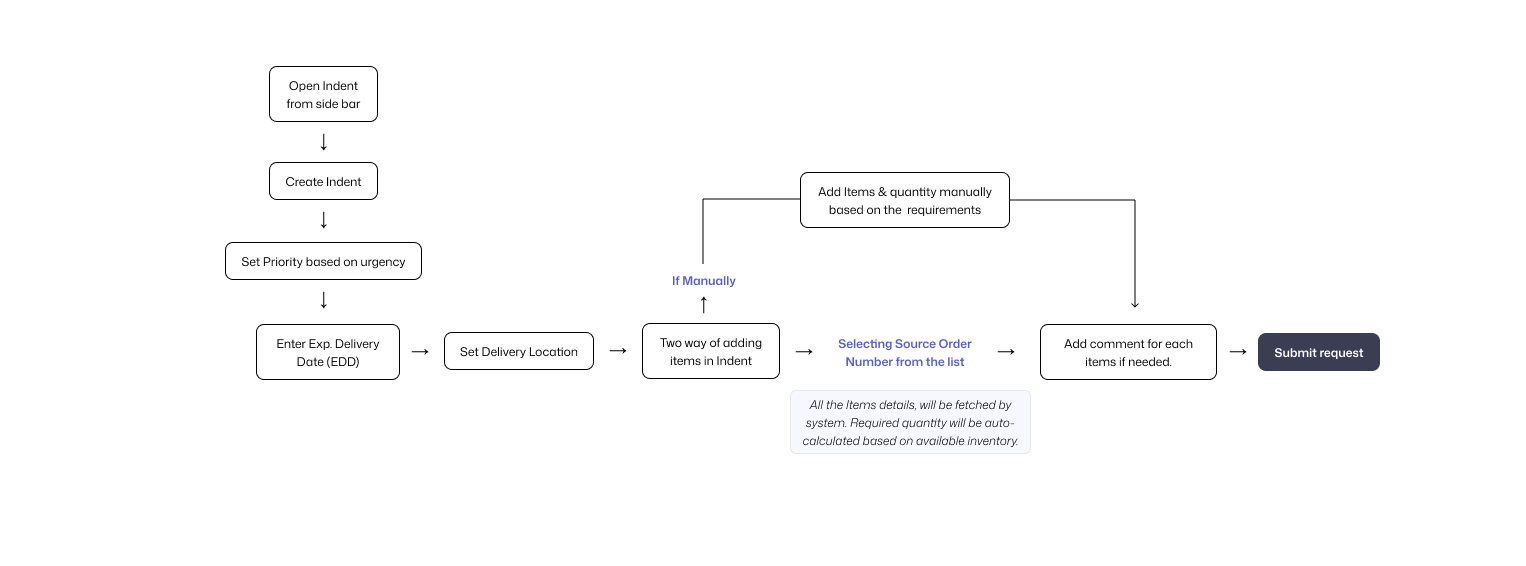
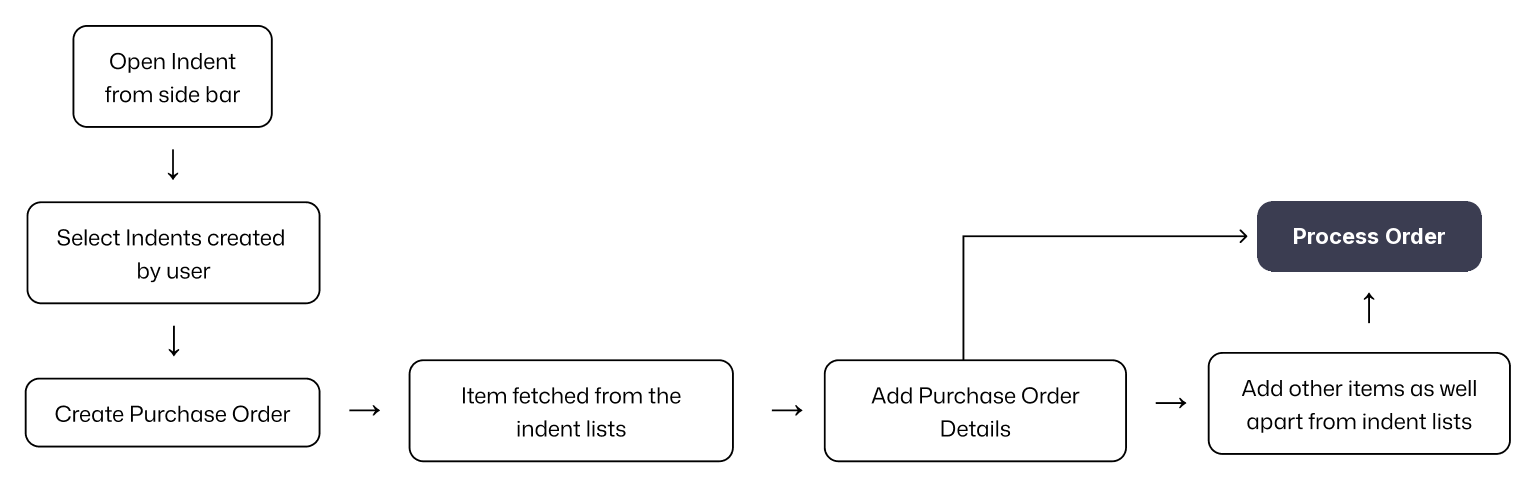
Redefined user journey for structured, source-linked requests.
A single, standardised request flow with two paths depending on what triggered the need — faster, less error-prone, and easier to coordinate.
Final Deliverables
Final solution lets the system do the calculation, not the user.
A standardised request experience with two paths: order-linked requests are auto-calculated against live stock, while manual ones surface stock inline so decisions stay informed. Purchase managers now work from a single queue instead of compiling requests from scattered channels — easier to adopt, and more accurate and efficient across departments.
 1
1
Design Decisions
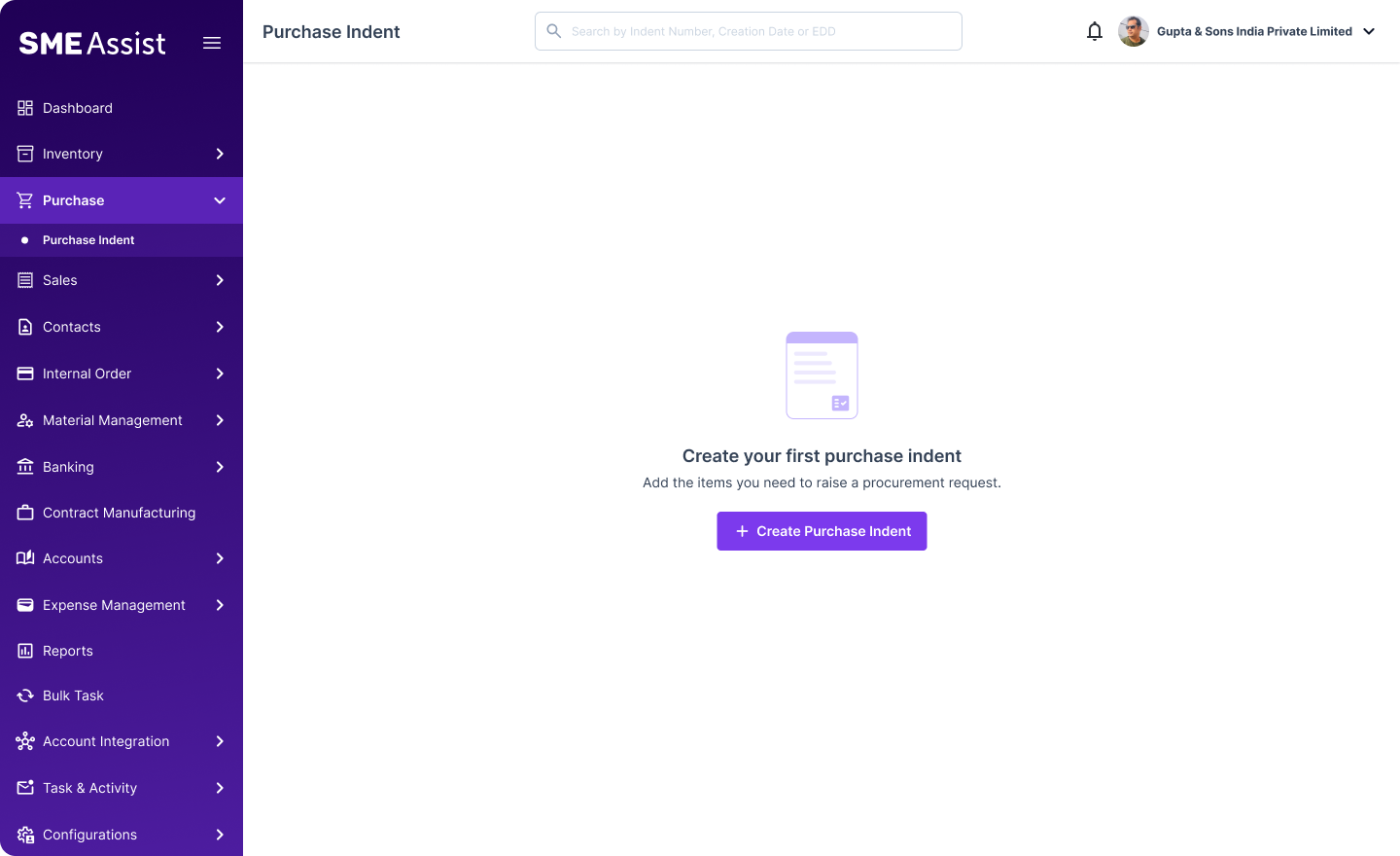
- Centralised page for creating an Indent, starting from a clean empty state.
Hover the image to show annotations.
 1
2
3
4
1
2
3
4
Design Decisions
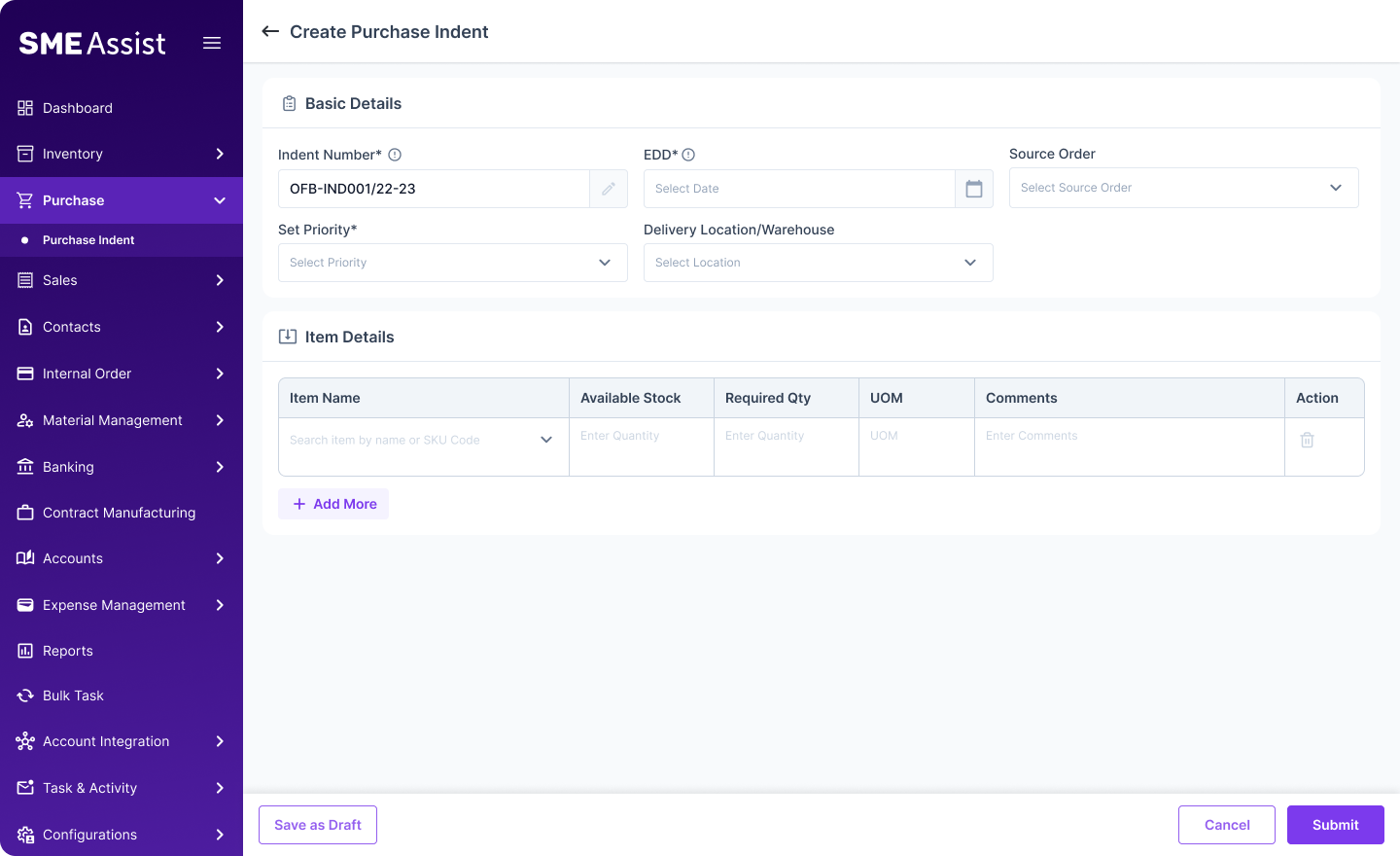
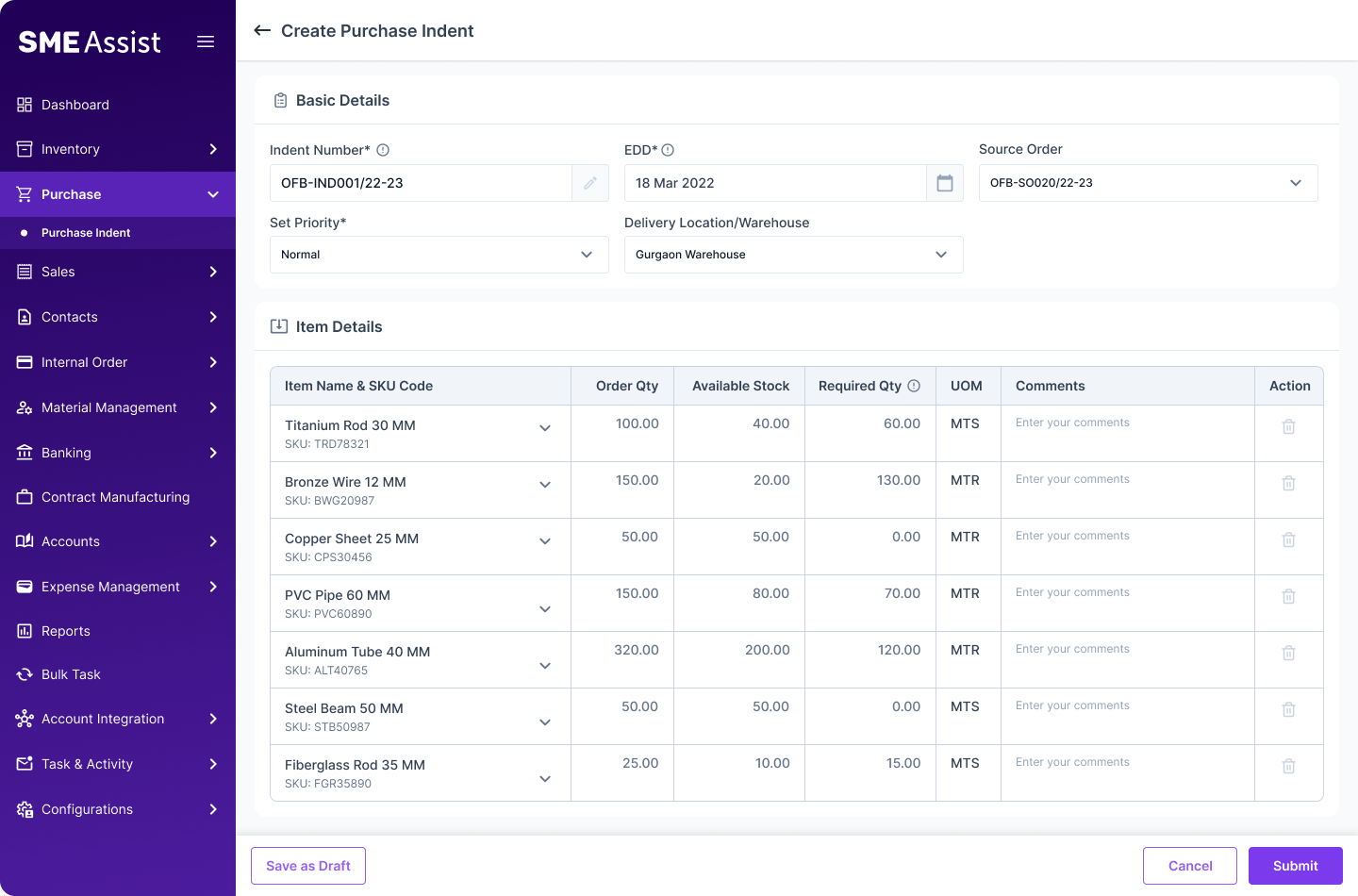
- Automate and ease the process for creating indent for all kinds of user.
- Set your priority based on urgency.
- Set Expected Date, when Item received.
- Split the form into Basic Details and Item Details instead of presenting one long form.
Hover the image to show annotations.
 1
2
1
2
Design Decisions
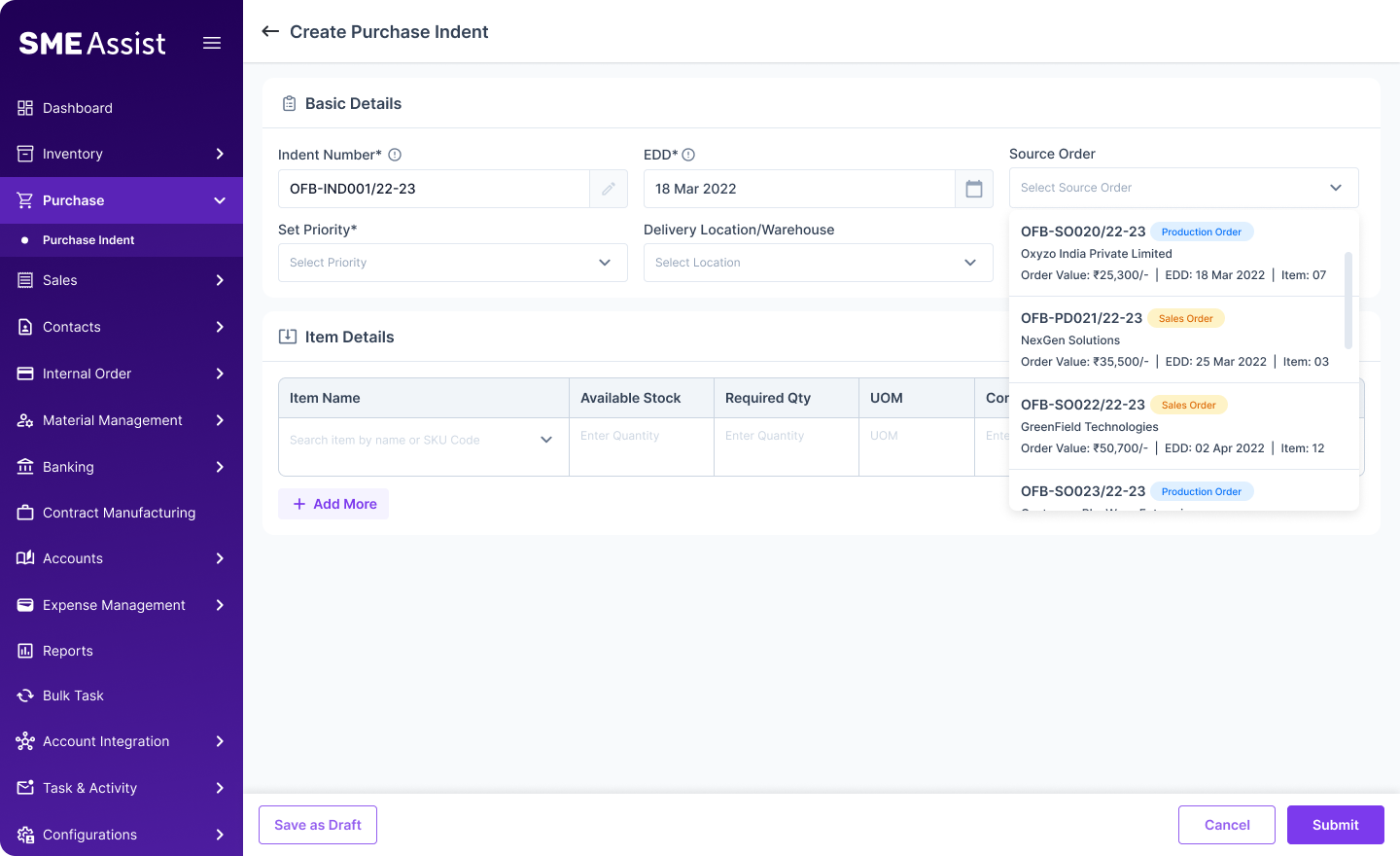
- Contextual information for source order for easy selection.
- Only active orders will be shown in the list.
Hover the image to show annotations.
 1
2
1
2
Design Decisions
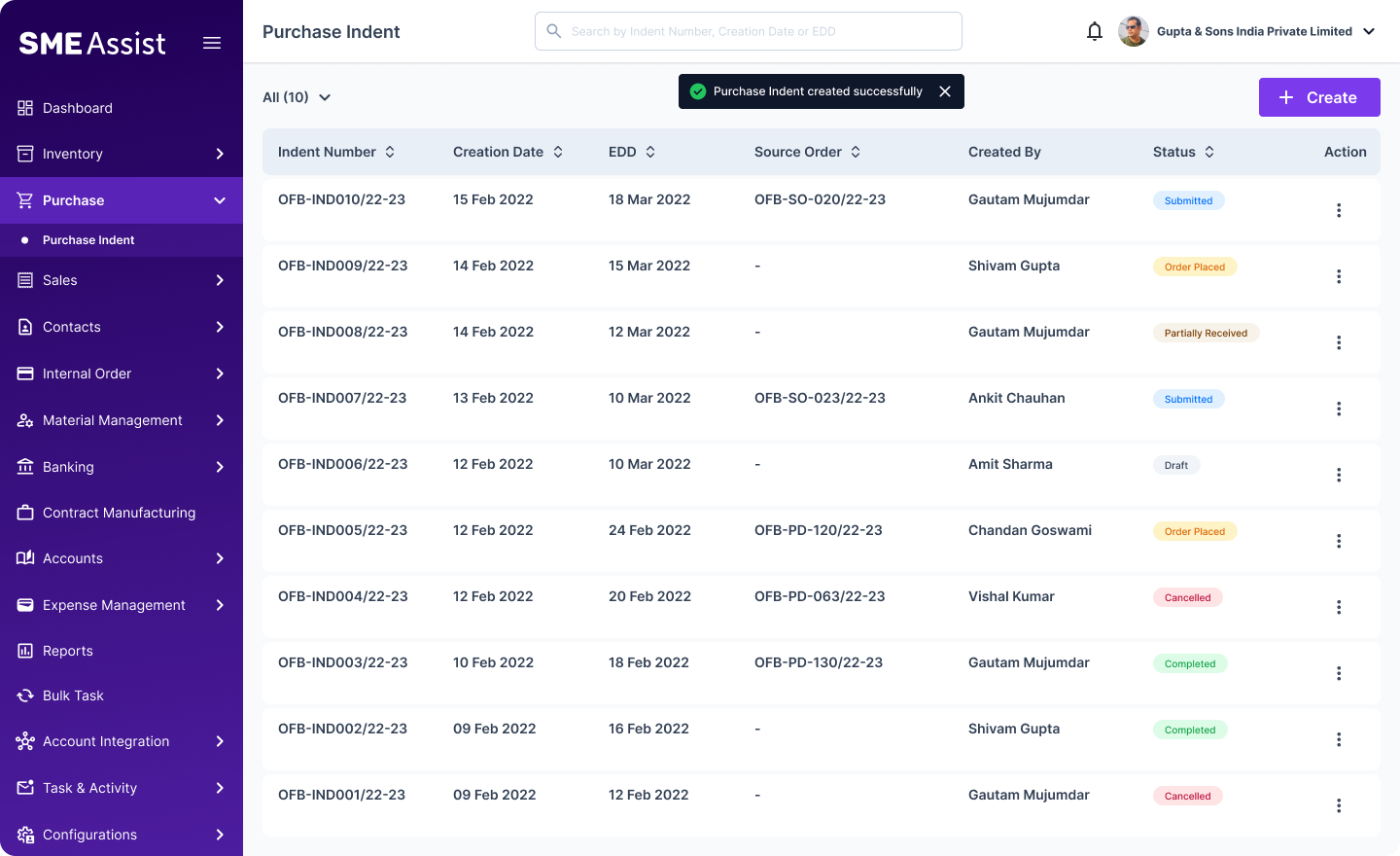
- Auto-populated item list based on the source order — no manual calculation needed, the system does it.
- Add comments for each item if required.
Hover the image to show annotations.
 1
2
1
2
Design Decisions
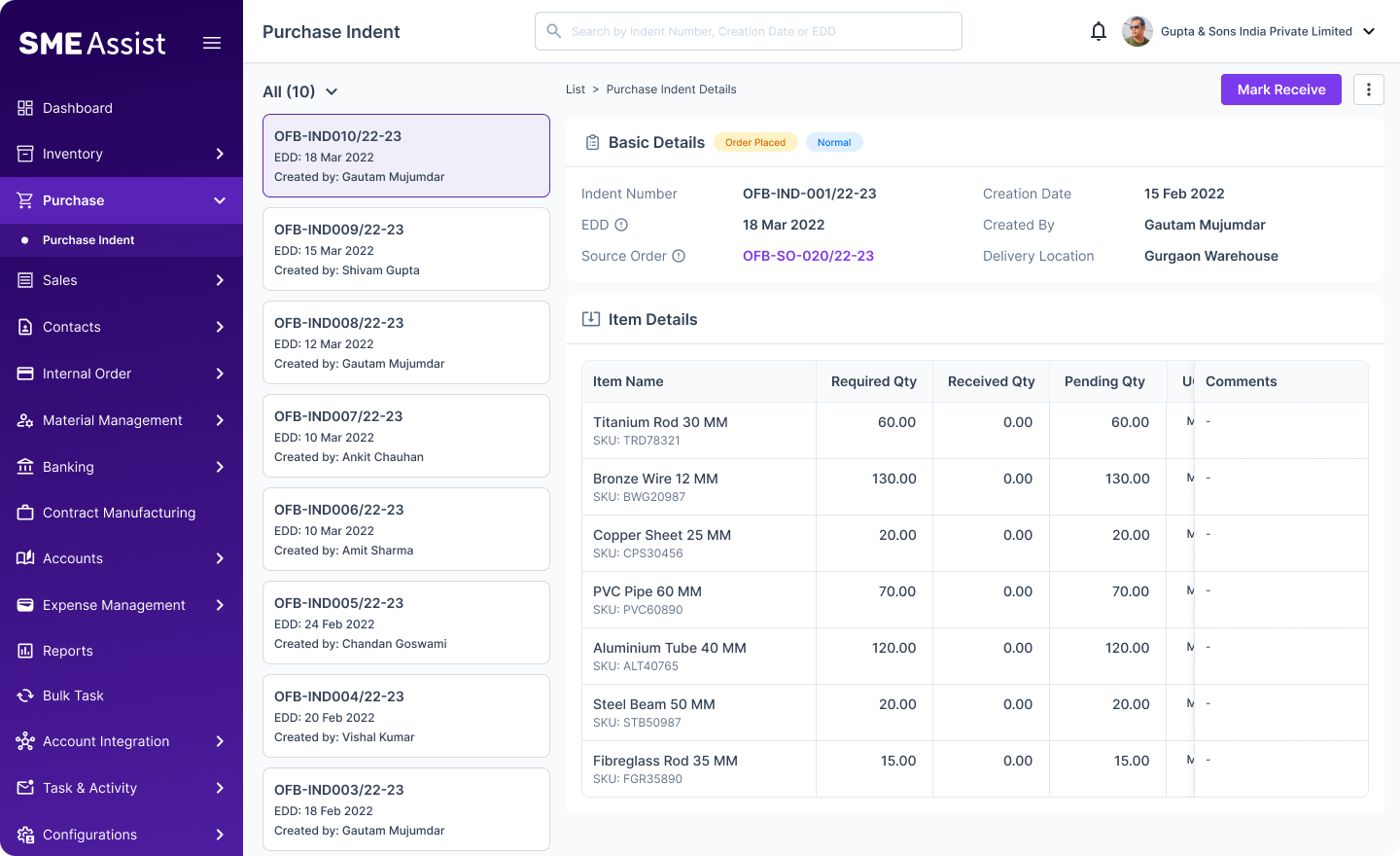
- One centralised list of all the indents created by multiple users, with clear context.
- Easy, quick search for finding an indent from the list — complete visibility.
Hover the image to show annotations.
 1
2
3
1
2
3
Design Decisions
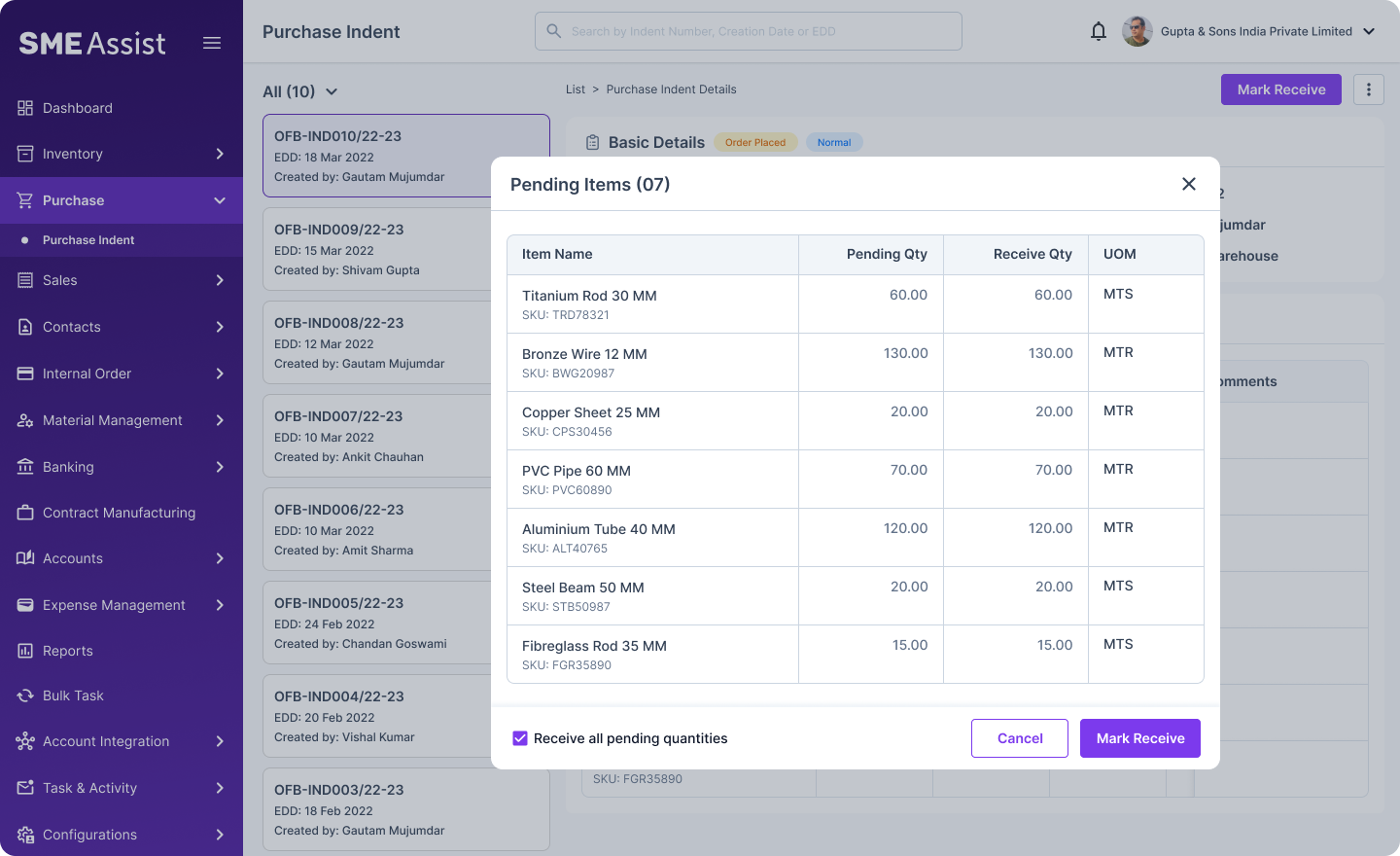
- Prominent primary CTA for receiving the item.
- Quick navigation to see the linked source order.
- Easy, quick navigation to see multiple indent details from the list with less effort.
Hover the image to show annotations.
 1
2
1
2
Design Decisions
- Items can be recorded once or multiple times as they arrive.
- Quick checkbox to record all items in one click, and the indent closes automatically.
Hover the image to show annotations.
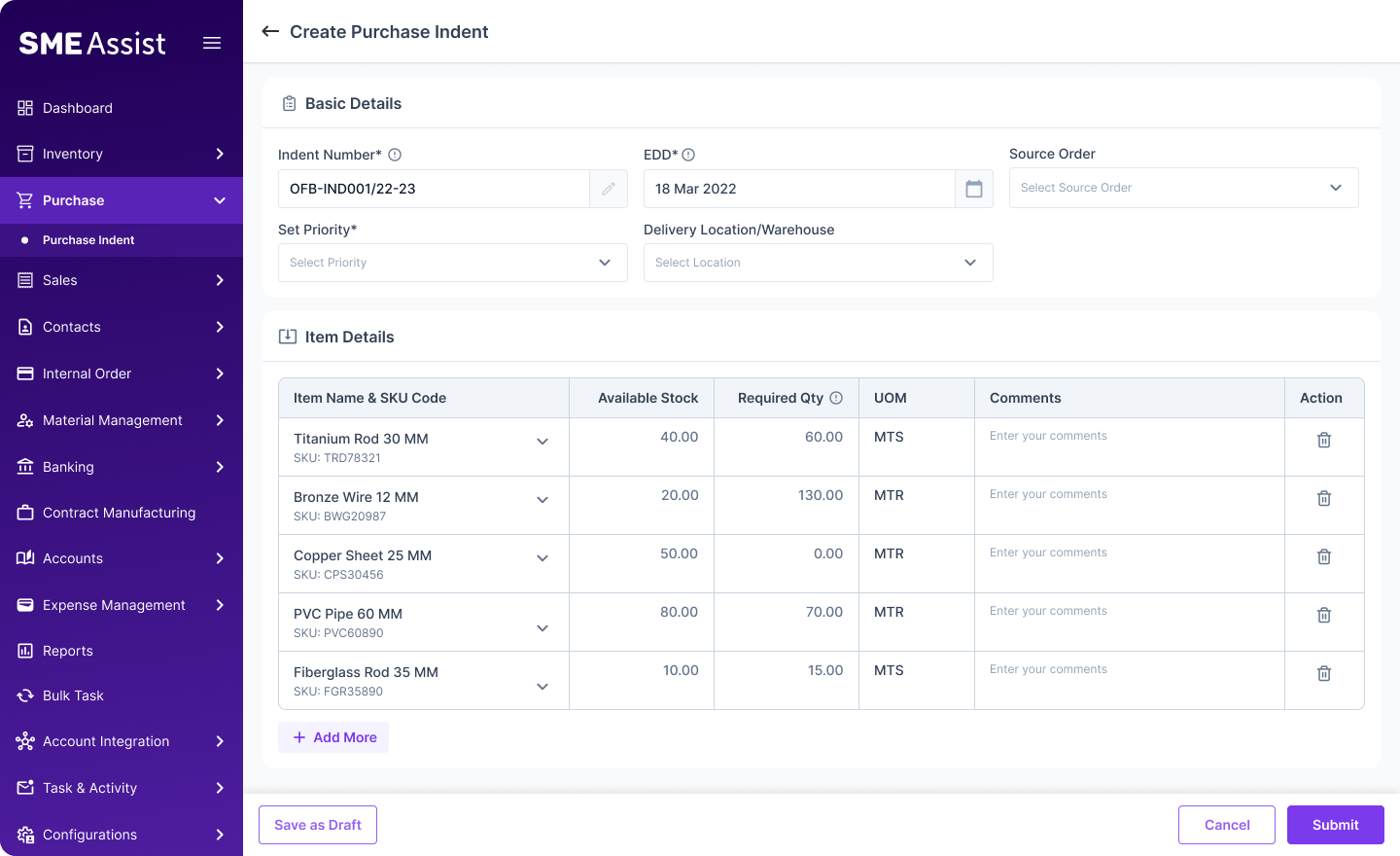
Manual Process
Creating a request without a source order
Users can raise a request manually when there's no source order — for falling stock, or any other need.
 1
2
1
2
Design Decisions
- Add items manually based on requirements to manage the stock level.
- No data loss — the user can leave the platform at any stage and pick up right where they left off using "Save as Draft."
Hover the image to show annotations.
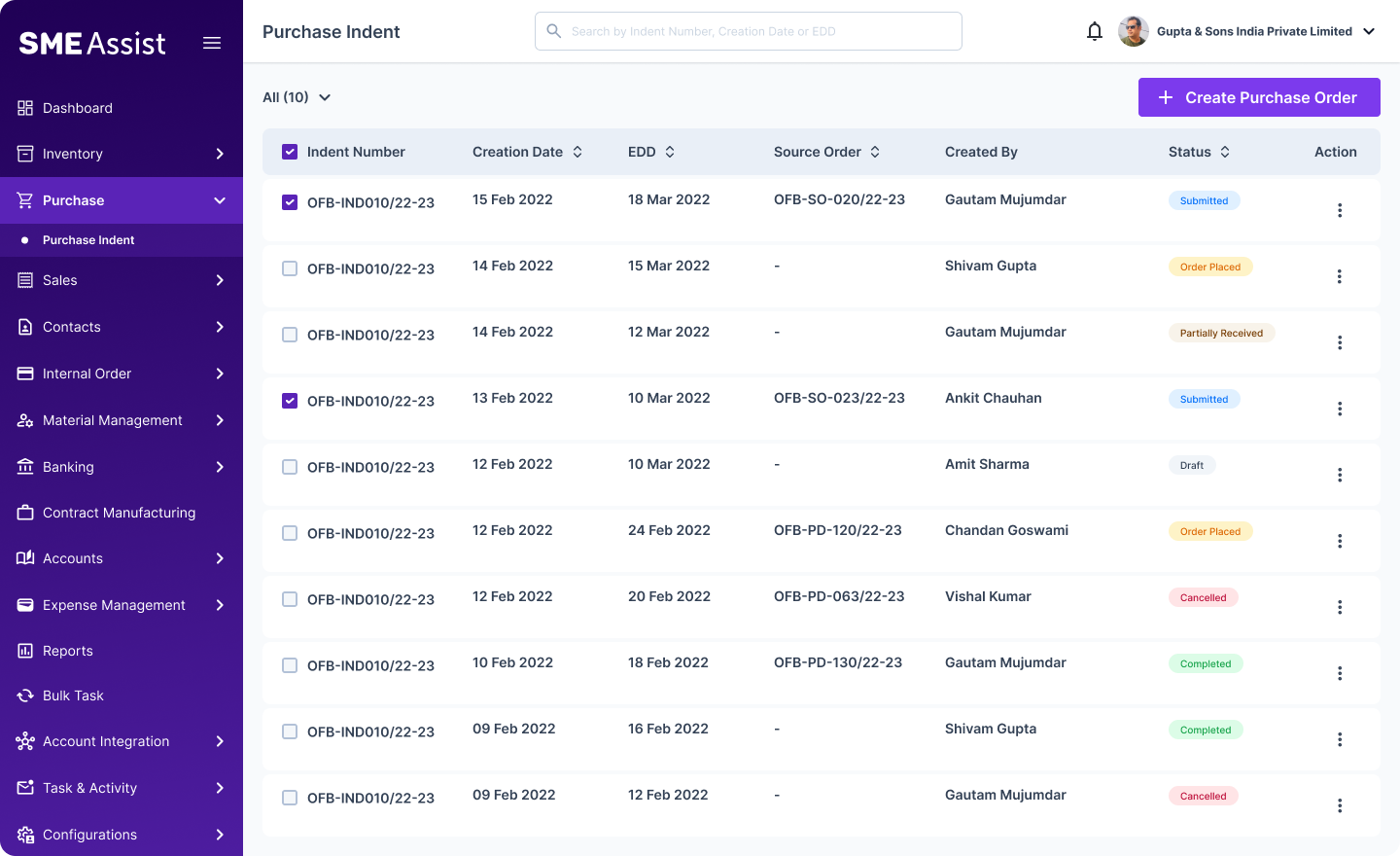
Order Processing
Quick order-processing screen for procurement managers
A one-click flow to create and process a purchase order from requests raised by multiple users.
 1
2
1
2
Design Decisions
- No more hassle finding multiple indents from multiple sources.
- Quick, easy one-click flow for creating a purchase order to process items with suppliers.
Hover the image to show annotations.
Design Decision
Design decisions that replaced manual checking and scattered channels with one calculated flow
- Automated the request-to-order quantity calculation — order-linked requests fetch every item, compare it against stock, and calculate what's needed, removing manual entry and the inventory-check step entirely.
- Surfaced available stock inline for manual requests — users see current stock against each item as they add it, so quantity decisions stay informed.
- Linked Sales Orders and Production Orders directly to requests, removing the need to retype or forward order details.
- Integrated request creation across Sales, Inventory, and Production so users could raise a request from their existing workflow.
- Standardised the request format to cut errors, duplicates, and dependency on email and WhatsApp.
- Optimized the workflow, cutting purchase order creation time from 15 minutes to ~5 minutes.
Business Impact
These decisions moved real numbers, not just workflows
75%
User adoption in 3 weeks
30%
Operations efficiency increased
100%
Request status visibility
Key Learning
What this project taught me
- Automating the calculation, not just the form, is what removed manual work — a structured form alone wouldn't have solved this.
- Not every request needs the same automation — order-linked ones could be fully calculated, while stock-driven ones still needed human judgment with better information.
- Linking directly to Sales Orders and Production Orders removes the need to retype or forward information.
- A single queue is often more valuable to approvers than faster individual requests — it removes the collection burden entirely.
- UX improvements can produce measurable operational impact.
Enterprise design is less about adding features and more about removing the manual thinking a system can safely do for the user — while leaving room for judgment where it's still needed.
Thanks for Reading
More Work